

charliearon
Administrators
-
Joined
-
Last visited
Everything posted by charliearon
-
Sorry! My mistake! Did not know site owner moved your original post.
-
Since this video has nothing to do with MSFS 2020/24, it has been moved to the FS2004 forum.
-
Now you are in the correct forum for asking querstions!
-
-
-
-
Ouch! That's gotta hurt!
-
As a matter of fact.....no! 😡 I did the 2 hour tryout 2 years in a row $450 each time and they always chose the oldest most frail dude each time! I must have been overqualified!
-
I still have my glove I bought in 1974! I'm wearing it in my avatar pic! Mr. Bonehead holding his glove at Balldude camp

-
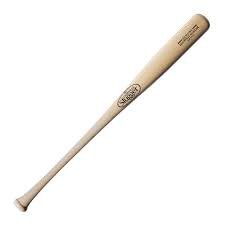
My favorite wingless bat!
-
Let's make every attempt to stay clear of the taboo subjects please!

-
Like I've said a dozen times now. I'm using a Chromebook computer...works fine lasts a long time! no problems! You'd never guess what operating system it uses! 🤔
-
https://www.mowells.com/obituaries/Stephen-Lamar-Bryant?obId=44996387
-
Will it then become "The Cat in the High Castle"? Minus any Knotsie symbolism?

-
Do you see this blurry square following your aircraft where ever you fly?
-
Anyhoo, @Zylx now has his requested pic in his profile photo! OK, don't ask me why but mine is also showing 2MB now but Zylx still shows .24MB
-
Accepted file types: gif, jpeg, jpe, jpg, png, webp · Max file size: 0.24MB PM your photo to me and I'll give it a try!
-
Just released image of the dark side!

-
To fix a partially missing or invisible menu bar in FSX, toggle it by pressing ALT, or ALT+ENTER to switch from Fullscreen to Windowed mode. If it remains broken, delete the fsx.cfg file (found in AppData\Roaming\Microsoft\FSX) to reset interface settings, or add a [PANELS] section with MenuBar=1 to the config file. Microsoft Learn +3 Common Fixes for FSX Menu Bar Issues: Toggle Menu: Press ALT to toggle the menu bar visibility. Toggle Windowed Mode: Press ALT + ENTER to switch between fullscreen and windowed mode, which often restores the menu. Reset fsx.cfg: Navigate to %appdata%\Microsoft\FSX\, locate the fsx.cfg file, and delete/rename it. Restart FSX to regenerate a new config file. Edit fsx.cfg directly: Open fsx.cfg in Notepad and under the [PANELS] section, ensure MenuBar=1 is set. If [PANELS] is missing, add [PANELS] and MenuBar=1 on the line below. Check Display Settings: Ensure your resolution is not set too high or that the window is not hidden outside the screen area. Compatibility Mode/Run as Admin: Right-click the FSX shortcut, select Properties, and run in Compatibility Mode (e.g., Windows 7/8) and check "Run as Administrator". Update Graphics Drivers: Ensure your NVIDIA or AMD drivers are updated to prevent display glitches. Microsoft Learn +3 If the menu is still broken, the issue could be due to a faulty Add-on installation or a broken SimConnect_text feature
-
Aye, Carumba, dude!
-
Now that would spook the heck outta them! We could always dig up Roddy McDowell and Kim Hunter for Cornielius and Zira.
-
More of a dia-REAL one! 😉
-
Weird 🚽 smell?? Sorry, that was me! I had an emergency!
-
Welcome to the club! Guess I'm not the only one!
-
Heck, I remember in Junior High School getting a swat on the keister from the gym teacher for snaping another guy with my towel! All it took from my parents was a nasty stare that told me I'd better knock off my behaviour!



