Skip to content
View in the app

A better way to browse. Learn more.

The AVSIM Community

A full-screen app on your home screen with push notifications, badges and more.

To install this app on iOS and iPadOS
  1. Tap the Share icon in Safari
  2. Scroll the menu and tap Add to Home Screen.
  3. Tap Add in the top-right corner.
To install this app on Android
  1. Tap the 3-dot menu (⋮) in the top-right corner of the browser.
  2. Tap Add to Home screen or Install app.
  3. Confirm by tapping Install.

charliearon

Administrators
  • Joined

  • Last visited

  1. Sorry! My mistake! Did not know site owner moved your original post.
  2. Since this video has nothing to do with MSFS 2020/24, it has been moved to the FS2004 forum.
  3. Now you are in the correct forum for asking querstions!
  4. Sorry! I ate the pizza many years ago! 😁
  5. I've been to Pisa, Italy and saw the Leaning Tower. Spectacular site! Now speaking of anchovie pizza, I had a fresh caught, not canned, anchovie pizza in Sorrento. One of the best pizzas ever!
  6. Is that pepperoni or sausage?
  7. Ouch! That's gotta hurt!
  8. As a matter of fact.....no! 😡 I did the 2 hour tryout 2 years in a row $450 each time and they always chose the oldest most frail dude each time! I must have been overqualified!
  9. I still have my glove I bought in 1974! I'm wearing it in my avatar pic! Mr. Bonehead holding his glove at Balldude camp

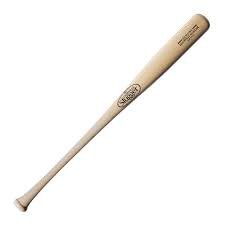
  10. My favorite wingless bat!
  11. Let's make every attempt to stay clear of the taboo subjects please!

  12. Like I've said a dozen times now. I'm using a Chromebook computer...works fine lasts a long time! no problems! You'd never guess what operating system it uses! 🤔
  13. https://www.mowells.com/obituaries/Stephen-Lamar-Bryant?obId=44996387
  14. Will it then become "The Cat in the High Castle"? Minus any Knotsie symbolism?

  15. Do you see this blurry square following your aircraft where ever you fly?

Account

Navigation

Search

Search

Configure browser push notifications

Chrome (Android)
  1. Tap the lock icon next to the address bar.
  2. Tap Permissions → Notifications.
  3. Adjust your preference.
Chrome (Desktop)
  1. Click the padlock icon in the address bar.
  2. Select Site settings.
  3. Find Notifications and adjust your preference.